Introduction to AI Website Creation Timelines
Most AI website builders promise you can create a fully functional website in minutes. While artificial intelligence can generate a professional-looking layout and draft copy surprisingly quickly, marketing claims often skip over the essential manual steps required to launch a production-ready site. Understanding what the timeline actually includes helps you plan your project accurately, whether you are building a personal portfolio, a local business page, or a fully featured eCommerce store.
While AI dramatically reduces the friction of initial setup, you still need to allocate time to choose a domain, review generated text, integrate payment gateways or booking systems, and verify mobile responsiveness. Below, we break down the entire journey from initial concept to public launch, examining where AI saves time and where human effort remains indispensable.
Traditional Website Setup vs. AI-Powered Generation
Building a website from scratch traditionally involves a series of repetitive structural decisions before you can even begin customizing your content. Designers and developers typically spend hours browsing templates, selecting color palettes, establishing typography hierarchies, defining navigation menus, and mapping out section layouts for every single page.
AI website builders shorten this phase by transforming the setup into a guided onboarding experience. Instead of starting with a blank canvas or manually configuring theme settings, you answer a series of questions regarding your business objectives, target audience, preferred design style, and tone of voice. The AI then processes these inputs to generate an entire site architecture, including:
- A functional homepage layout with pre-designed sections
- A complete primary navigation menu
- Draft copy tailored to your industry
- Placeholder imagery based on your prompt inputs
This automated workflow bypasses hours of manual clicking and configuration, handing you a complete first draft in roughly three minutes.
A Realistic Breakdown of the Website Creation Journey
Even with AI accelerating the foundational steps, every web project follows a structured path before going live. The total time required depends on your technical preparedness, existing brand assets, and site complexity. The following stages outline a realistic schedule for launching a basic site:
- Define your website’s purpose (30 minutes to 1 day): Clarify your core goals, identify your target audience, and outline the exact pages and features required.
- Research your market (1 to 3 days): Review competitor websites to evaluate industry standards, gather design inspiration, and identify unique positioning opportunities.
- Choose a domain name (30 minutes to 1 day): Brainstorm a brand-aligned domain name, check availability through a registrar, and secure it.
- Set up web hosting (30 minutes to 1 day): Configure a reliable hosting provider and link your domain. Using consolidated services like Bluehost Web Hosting simplifies this by bundling hosting, an SSL certificate, and domain management in one place.
- Create your website structure (1 to 7 days): Build the core page framework, set up navigation paths, and apply layouts. (AI tools compress this specific step into minutes).
- Add and refine content (1 to 7 days): Write and edit page copy, upload original photography or branded videos, and input accurate contact details.
- Review and test (2 to 8 hours): Test functionality across various devices, verify forms, check link integrity, and audit page loading speeds.
- Publish your website (30 minutes to 2 hours): Connect your domain permanently, run final pre-launch checks, and make the site live.
Behind the Scenes: Working Inside an AI Builder Built on WordPress
When testing AI website builders, underlying architecture matters immensely. Many generic AI tools lock you into proprietary, closed editors that restrict your ability to scale. However, platforms like the Bluehost AI Website Builder operate directly on top of WordPress.
The onboarding process follows a streamlined path: you describe your website in a single sentence, create an account, answer specific queries about your business goals, and let the generation engine run. Within three minutes, a complete first draft materializes. Because it utilizes WordPress beneath the surface, you immediately gain unrestricted access to the complete WordPress dashboard. This means you can:
- Edit any page using the native block editor without proprietary layout restrictions
- Install custom plugins for advanced functionality, security, and caching
- Customize themes and global styles to match precise brand guidelines
- Manage core site settings, user roles, and database configurations
This integration ensures that the AI serves as an accelerator for the initial build rather than a ceiling on your long-term site development.
Where You Will Spend the Most Time
While AI generates a fully structured draft in minutes, the human element is what transforms a generic template into a high-performing digital asset. Expect to invest the majority of your pre-launch hours into specific refinement tasks.
First, content refinement demands careful attention. AI-generated copy provides an excellent framework, but it must be meticulously reviewed to ensure it accurately reflects your unique value proposition, service capabilities, and brand voice. Second, visual assets require updates. Initial drafts often utilize generic stock imagery or placeholders; replacing these with original photography, product shots, and authentic branded graphics builds immediate trust with visitors.
Finally, site expansion takes time. As your business grows, you will likely need to build dedicated service pages, comprehensive FAQ sections, customer testimonials, pricing tables, and a regular blog. AI gets you off the starting line quickly, but ongoing content curation shapes your long-term success.
Additional Requirements That Extend Your Timeline
Complex functional requirements will naturally push your launch date further out. Building a standard brochure site is fast, but specialized features introduce significant development overhead:
- eCommerce Setup (1 to 5 days): Configuring a storefront, adding product catalogs, organizing categories, and managing inventory.
- Product Variants (2 hours to 2 days): Setting up attributes like size, color, downloadable files, and inventory tracking for individual items.
- Payment Gateways (1 to 2 days): Integrating processors like Stripe or PayPal and executing secure test transactions.
- Shipping and Tax Logic (2 hours to 3 days): Defining geographic shipping zones, carrier rates, and automated tax calculation rules.
- Third-Party Integrations (2 hours to 2 days): Connecting CRM systems, email marketing platforms, customer support chat widgets, and booking calendars.
- Multilingual Architecture (Days to weeks): Structuring translated pages, configuring language switchers, and localizing content for international markets.
Post-Launch Maintenance, SEO, and Growth
Publishing your website is merely the starting line. Maintaining a strong, discoverable online presence requires continuous effort across multiple operational fronts.
Search engine optimization (SEO) must be an ongoing commitment. Optimizing page titles, crafting compelling meta descriptions, building internal link paths, and publishing helpful blog content allows users to discover your brand organically over time. Platforms utilizing tools like Yoast SEO simplify technical optimization, generating structured data and XML sitemaps that help search engine crawlers index your pages efficiently. Furthermore, features like the Yoast FAQ block automatically format questions into structured data for enhanced visibility in search results.
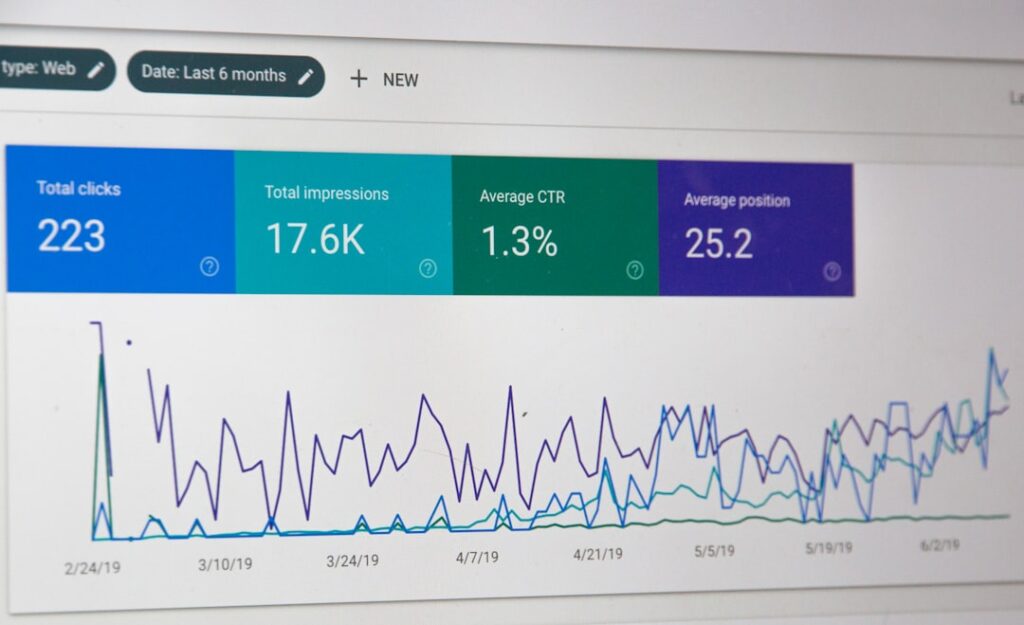
Additionally, monitoring performance via Google Search Console and Google Analytics provides actionable insights into user behavior, query performance, and indexing errors. For brands tracking their digital footprint in AI-driven search experiences, tools like Yoast SEO AI+ and AI Brand Insights offer visibility into how emerging AI platforms perceive and represent your brand.
Conclusion: A Head Start, Not the Finish Line
So, how long does it really take to build a website with AI? If you start with clear goals, branding assets, and a defined content strategy, a basic website can realistically go live within 30 to 90 minutes. If you already have your domain and copy prepared in advance, publication can happen in under 15 minutes.
AI does not eliminate the need for thoughtful strategy, custom branding, or diligent SEO. Instead, it compresses the most tedious, time-consuming phase of web development—setting up initial layouts, global navigation, and structural code—into a rapid, guided experience. By skipping the blank canvas phase, you can dedicate your energy to refining messaging and growing your business.
Frequently asked questions
How long does it take an AI website builder to generate a first draft?
Most AI website builders can generate a complete first draft of a website, including page layouts, structure, and draft copy, in about 3 minutes after you complete the onboarding questions.
Can I edit my AI-generated website using WordPress?
Yes, if you use an AI builder built on WordPress—such as the Bluehost AI Website Builder—you retain full access to the complete WordPress dashboard, allowing you to install plugins, customize themes, and edit pages freely.
What factors take the most time when building a website with AI?
While AI handles the initial setup in minutes, you will spend the most time personalizing AI-generated copy to match your brand, swapping out placeholder images with original photography, expanding site pages, and configuring advanced features like eCommerce or multilingual support.
Do I still need to worry about SEO if I build my site with AI?
Yes. AI provides a foundational draft, but ongoing SEO is essential for long-term visibility. This includes optimizing meta descriptions, building internal links, publishing valuable blog posts, and monitoring performance via Google Search Console.
Primary reference: Review the original announcement for exact release details. This article is an independent explanation and does not reproduce the source text.