Introduction to Modern WordPress AI Architecture
Recent WordPress releases introduce robust core primitives designed to standardize artificial intelligence integration for developers. Moving away from scattered proprietary API calls and hardcoded vendor dependencies, modern WordPress core features a cohesive architecture: the Abilities API for exposing discoverable units of functionality, the provider-agnostic WordPress AI Client for PHP, and the MCP Adapter for exposing capabilities as Model Context Protocol tools.
Rather than treating these components in isolation, this technical guide demonstrates how to combine them into a fully functioning production-style plugin named Photo to Post. This plugin accepts an image URL, analyzes it using a vision-capable AI model, generates a draft WordPress post with block editor-compatible markup, and automatically sets the original source image as the post’s featured image.
Prerequisites and Environment Setup
To follow this implementation locally, configure your development environment to meet specific minimum requirements:
- A local WordPress development installation running version 7.0 or later.
- PHP version 8.1 or higher.
- Composer and Node.js installed for dependency management.
- Active API credentials for a frontier AI provider supporting vision capabilities (such as OpenAI, Anthropic, or Google).
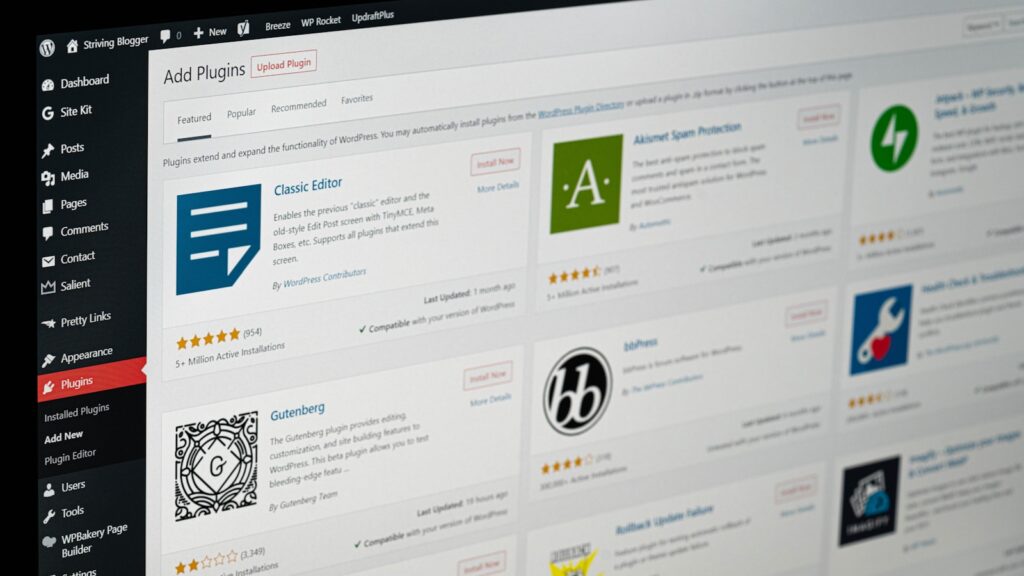
Download, install, and activate version 1.1.1 of the starter plugin from the official repository. Once activated, the plugin registers a new admin interface under Tools > WP AI Workshop Demo. Execute composer and npm installation commands within your plugin root directory to fetch necessary assets before writing custom code.
Centralizing API Keys via the Connectors API
Historically, building multiple plugins that interacted with third-party services meant managing separate settings screens for every single API key. WordPress 7.0 resolves this fragmentation through the Connectors API and the unified Settings > Connectors administration screen.
By registering a custom Connector service, your plugin delegates credential storage to core WordPress infrastructure. Users enter their keys once in a centralized location, which securely supplies the underlying WordPress AI Client. This design pattern ensures your plugin remains vendor-agnostic, supporting OpenAI, Anthropic, Google, and local runtime models like Ollama without modifying internal business logic.
Step 1: Registering Abilities and Schemas
An ability is a formalized unit of functionality comprising a unique string identifier, human-readable labels, strict input and output JSON schemas, security permission callbacks, and an execution handler. All ability registrations occur within includes/abilities.php.
First, register a dedicated category for your plugin:
wp_register_ability_category( 'wp-ai-workshop-demo', array(
    'label' => __( 'WP AI Workshop Demo', 'wp-ai-workshop-demo' ),
    'description' => __( 'Abilities for the WP AI Workshop Demo.', 'wp-ai-workshop-demo' ),
) );
Next, define the describe-image ability with strict schema definitions:
wp_register_ability( 'wp-ai-workshop-demo/describe-image', array(
    'label' => __( 'Describe an image via AI', 'wp-ai-workshop-demo' ),
    'description' => __( 'Given an image URL, use AI vision to produce a detailed text description.', 'wp-ai-workshop-demo' ),
    'category' => 'wp-ai-workshop-demo',
    'input_schema' => array(
        'type' => 'object',
        'properties' => array(
            'image_url' => array(
                'type' => 'string',
                'description' => 'The URL of the image to describe.',
            ),
        ),
        'required' => array( 'image_url' ),
    ),
    'output_schema' => array(
        'type' => 'object',
        'properties' => array(
            'description' => array(
                'type' => 'string',
                'description' => 'A detailed description of the image.',
            ),
        ),
        'required' => array( 'description' ),
    ),
    'execute_callback' => 'wp_ai_workshop_demo_describe_image',
    'permission_callback' => function () {
        return current_user_can( 'edit_posts' );
    },
    'meta' => array(
        'show_in_rest' => true,
    ),
) );
Step 2: Connecting the AI Client for Vision Processing
With registration complete, implement the execution callback inside includes/vision.php. Because frontier models require image assets in different formats, convert remote image URLs into base64-encoded data URIs for maximum cross-provider portability.
function wp_ai_workshop_demo_describe_image( $arguments ) {
    $image_url = $arguments['image_url'];
    $data_uri = wp_ai_workshop_demo_image_url_to_data_uri( $image_url );

    if ( is_wp_error( $data_uri ) ) {
        return $data_uri;
    }

    $prompt = 'Describe this image in detail for a blog post. Focus on the subject, setting, and mood.';

    $description = wp_ai_client_prompt()
        ->with_text( $prompt )
        ->with_file( $data_uri )
        ->generate_text();

    if ( is_wp_error( $description ) ) {
        return $description;
    }

    return array(
        'description' => trim( $description ),
    );
}
The AI Client’s fluent builder design returns a standard WP_Error object on failure rather than throwing uncaught exceptions, simplifying error-handling pipelines.
Step 3: Generating Structured Block Editor Markup
The second capability turns the textual description into a complete blog post. Inside includes/content.php, instruct the AI model to output deterministic JSON containing both a title and block editor markup.
function wp_ai_workshop_demo_generate_post_from_description( $arguments ) {
    $description = $arguments['description'];
    $guidance = ! empty( $arguments['prompt'] ) ? trim( $arguments['prompt'] ) : '';

    $prompt = 'Write a WordPress blog post based on this description: ' . $description;
    if ( '' !== $guidance ) {
        $prompt .= ' Tone guidance: ' . $guidance;
    }
    $prompt .= ' Respond with a single JSON object containing "title" and "content" (using Block Editor markup). Do not use markdown code fences.';

    $text = wp_ai_client_prompt( $prompt )->generate_text();
    if ( is_wp_error( $text ) ) {
        return $text;
    }

    $data = wp_ai_workshop_demo_decode_json_response( $text );
    if ( ! is_array( $data ) || empty( $data['title'] ) || empty( $data['content'] ) ) {
        return new WP_Error( 'parse_failed', 'Could not parse AI response.' );
    }

    return array(
        'title' => trim( $data['title'] ),
        'content' => trim( $data['content'] ),
    );
}
Step 4: Ability Composition and Post Orchestration
Ability composition is where the architecture excels. Instead of making raw HTTP requests or orchestrating individual API clients directly inside your orchestrator, fetch registered abilities dynamically using wp_get_ability() and execute them sequentially.
function wp_ai_workshop_demo_create_post_from_photo( $arguments ) {
    $image_url = $arguments['image_url'];
    $prompt = isset( $arguments['prompt'] ) ? $arguments['prompt'] : '';

    $describe_ability = wp_get_ability( 'wp-ai-workshop-demo/describe-image' );
    $description_result = $describe_ability->execute( array( 'image_url' => $image_url ) );

    if ( is_wp_error( $description_result ) ) {
        return array( 'message' => 'Image description failed.' );
    }

    $generate_ability = wp_get_ability( 'wp-ai-workshop-demo/generate-post-from-description' );
    $copy_result = $generate_ability->execute( array(
        'description' => $description_result['description'],
        'prompt' => $prompt,
    ));

    if ( is_wp_error( $copy_result ) ) {
        return array( 'message' => 'Post generation failed.' );
    }

    return wp_ai_workshop_demo_create_post( $copy_result['title'], $copy_result['content'], $image_url );
}
Limitations and Production Best Practices
While the Abilities API and WordPress AI Client streamline development, production environments require careful adherence to architectural best practices:
wp_remote_get() and asynchronous background queues for batch operations.permission_callback checks (such as verifying current_user_can('edit_posts')) to prevent unauthorized execution over REST endpoints or MCP adapters.Frequently asked questions
What is the WordPress Abilities API?
The Abilities API provides a standardized mechanism to register executable units of functionality in WordPress, complete with strict input/output schemas, permission checks, and automatic REST API exposure.
Why use data URIs instead of remote image URLs for vision models?
Certain AI providers like Anthropic require image payloads to be sent inline as base64-encoded data strings rather than raw remote URLs. Converting images to data URIs ensures complete portability across different AI providers.
How do I handle non-deterministic JSON responses from AI models?
You should implement a defensive decoding helper function that strips potential markdown code fences from the raw text response before attempting standard JSON parsing.
What is ability composition?
Ability composition refers to an orchestrator ability fetching other registered abilities using wp_get_ability() and executing them sequentially via ->execute() without handling low-level provider logic directly.
Primary reference: Review the original announcement for exact release details. This article is an independent explanation and does not reproduce the source text.